
Smart Launcher 6
Screenshots
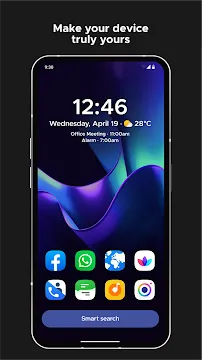
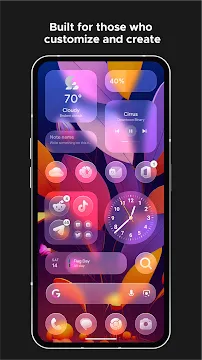
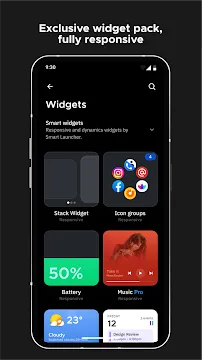
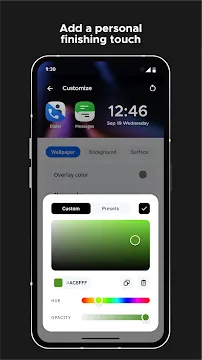
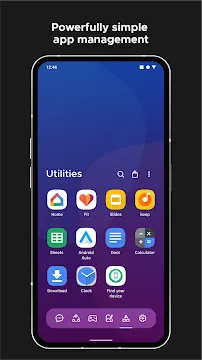
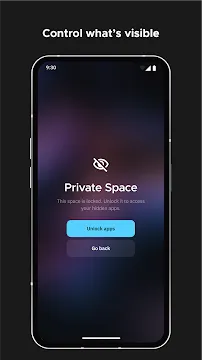
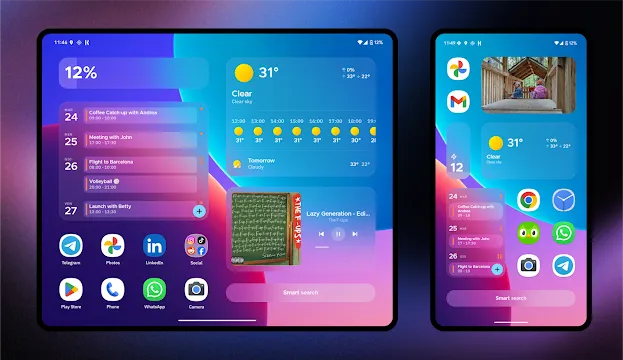
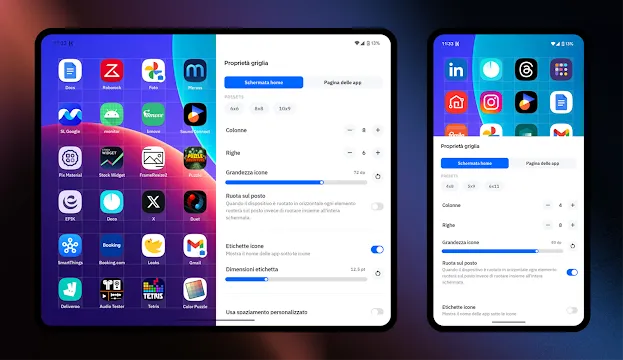
Smart Launcher 6 is an innovative home screen utility designed to improve the way you interact with your smartphone. This clever software replaces your factory interface with an organized, automated environment. It sorts your shortcuts into clean categories without requiring your manual input. Both casual users and efficiency seekers can enjoy a faster mobile experience.
You can save precious time with this platform. You can access your essential programs through dynamic shortcuts and intelligent widget groupings. It offers an automated organization system that keeps your display clean. This comprehensive guide covers how the platform transforms your mobile workspace layout.
Automate Your Desktop Organization with Smart Launcher 6
The software features an intelligent automatic sorting engine for your mobile device. You can find your programs neatly grouped into relevant categories inside the drawer. These groupings occur instantly based on function. The system organizes everything into specific sections.
- Communication tools and messaging platforms.
- Internet browsers and search utilities.
- Media players and gallery software.
- Mobile games and entertainment.
- System settings and utility programs.
Every shortcut finds its correct place because the platform uses an advanced categorization algorithm. Therefore, you never have to waste time dragging icons into folders manually. You do not need to scroll through endless pages to find an icon. Instead, you can navigate your smartphone with complete ease.
Enjoy Fluent Theme Integration with Smart Launcher 6
Mobile users often enjoy changing their wallpapers frequently. This platform includes an ambient theme system that reads your background image colors. It adjusts the interface accent colors to create a beautiful visual harmony.
- Matches folder backgrounds with wallpaper colors.
- Changes search bar colors automatically.
- Adjusts menu typography shades for better contrast.
- Updates widget highlight elements smoothly.
You can combine these aesthetic details with your preferred icon packs. For example, you can use neon designs on dark backgrounds. Then, you can enjoy an interface that feels cohesive and modern. This approach creates a visually pleasing workspace on your mobile display.
Access Critical Information via Smart Launcher 6 Widgets
Standard home screens force you to scatter multiple widgets across separate pages. However, this software introduces a responsive widget layout system. You can stack multiple tools together to save physical screen space.
Once you add your primary media tracking tools, you can monitor your data effortlessly. The system updates information with low latency. This fact means your weather details and calendar events always show accurate records. Consequently, you can manage your daily schedule without opening multiple programs.
Utilize Smooth Gestures for Faster Interaction
Standard interactions require you to look for small icons on your screen. Fortunately, this platform supports a wide array of touch gestures and shortcuts. You can trigger important tasks by executing simple finger movements across your display.
The platform allows you to double-tap the screen to turn off the display instantly. You can also swipe up on the bottom dock to reveal your categorized drawer. Additionally, you can assign unique swipe actions to individual desktop icons. For instance, swiping on your camera icon can launch your photo editor immediately. This flexibility makes daily operations incredibly fluid.
Protect Your Mobile Privacy and Secure Your Shortcuts
Maintaining digital privacy is a massive priority for modern smartphone users. This utility features a built-in locker tool to protect your private software. You can hide specific shortcuts from your main drawer completely.
The system allows you to secure these hidden items using a secure personal identification number. Alternatively, you can use your biometric fingerprint scanner for quicker access. This extra security layer operates smoothly in the background. It protects your personal chats and financial tools from prying eyes without slowing down your phone.
Maximize System Performance with Ultra-Light Code
Many third-party launchers slow down your processing speed and drain battery resources quickly. This platform uses an optimized framework to ensure lightning-fast operations. The background processes remain lightweight and quiet.
The software requires minimal random-access memory to run its complex animations. This means you can switch between active screens without experiencing lags. Even budget smartphones run much faster after deploying this software. This focus on performance ensures your phone remains responsive throughout the day.
Conclusion
Smart Launcher 6 provides a brilliant environment for upgrading your default mobile workspace. It offers automated sorting systems and ambient color integration. The platform supports advanced touch gestures for fast navigation. It also features robust privacy lockers to protect your personal software shortcuts. Both beginners and technical professionals can master these features quickly. You can enjoy a clean home screen or build a high-performance workspace anytime. Download the App today to revolutionize your daily smartphone experience.







